Overview
Charging history and vehicle telemetry in one ownership record.
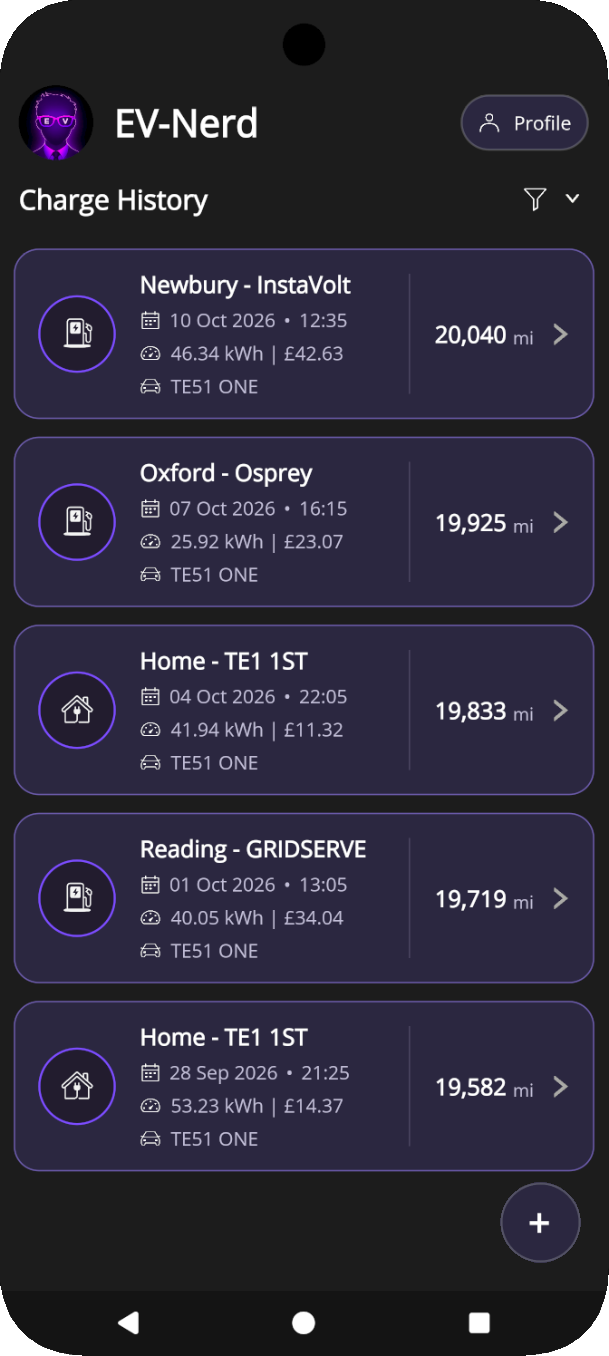
Ev Nerd is an Android application that brings home and public charging records together with vehicle mileage and telemetry. It grew from wanting to understand how I use my car over time: how often I charge, how far I drive between charges, and what that pattern costs.
The aim is to make that history useful for understanding running costs and efficiency, planning future budgets, and documenting the car's care to help preserve its value. Looking ahead to resale, a charging record could complement service history by giving a future buyer more context about the vehicle's use.
The app keeps sessions available locally, calculates grid and solar costs, and brings in live vehicle data through a Polestar integration. Its .NET MAUI client and ASP.NET Core backend must preserve that growing record, including offline edits made while server responses are still in flight.
The problem
Recording a charge meant doing the same work twice.
I was maintaining an Excel spreadsheet, capturing charging details on my phone while out and then transferring them to my desktop at home. Keeping it up to date took time, and every session left another transcription task for later.
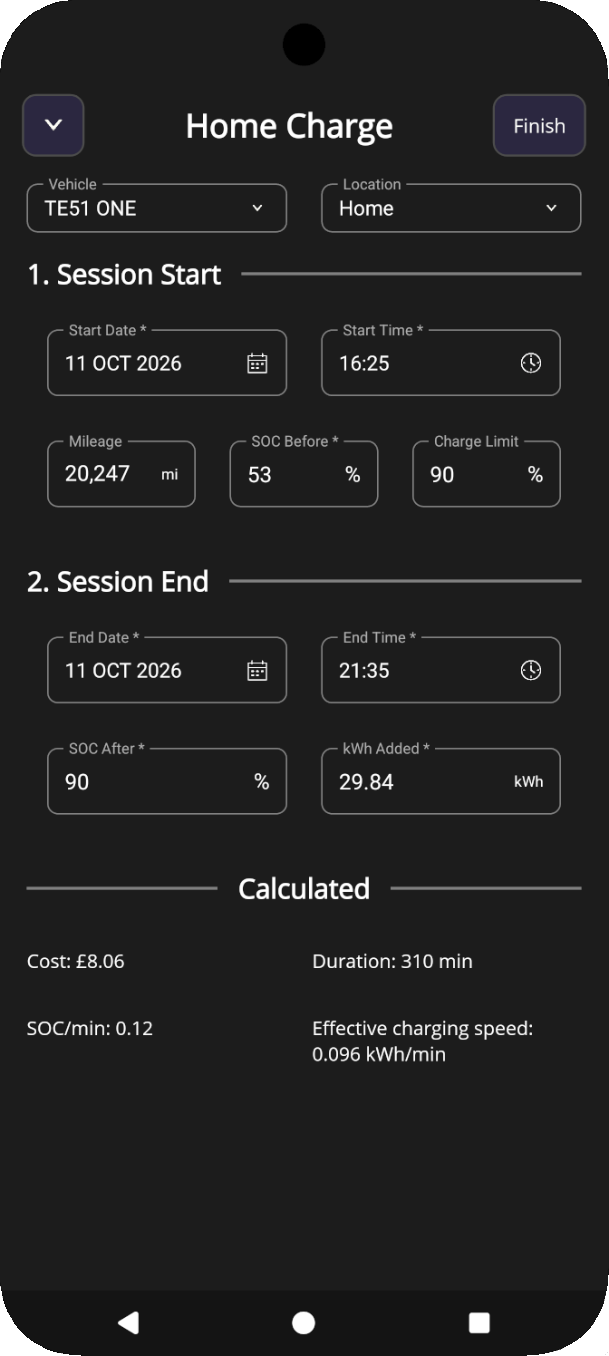
I wanted to record charging and vehicle data directly in one app, wherever I was. It needed to be a place I could rely on to save and access my records, even without an internet connection, so logging a charge would finish the task there and then.
Building towards automation
Start with a useful app, then reduce the effort of keeping its records up to date.
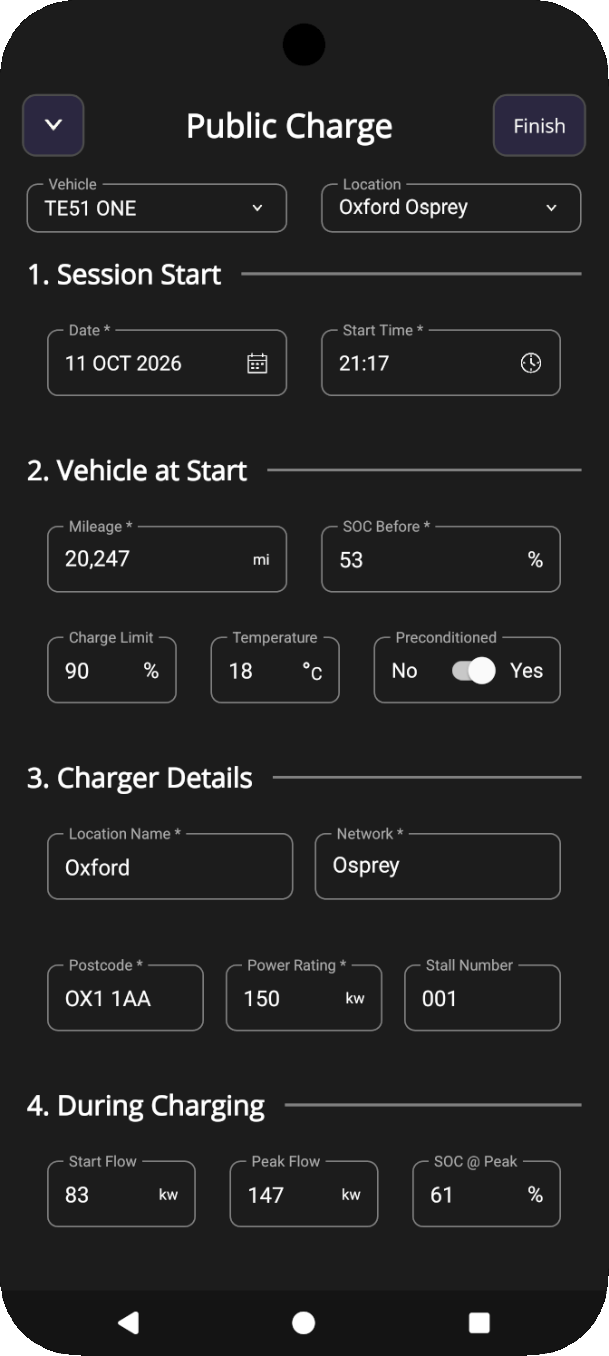
My first priority was a working app on my phone with one place to record the charging and vehicle data I needed. A manual entry app served as an MVP, providing the practical stopgap I needed whilst building the automation and supporting infrastructure.
Polestar integration then brought key vehicle data, including mileage and battery state, into the charging workflow. Retrieving those values reduces repetitive typing and the scope for errors, while connecting each session to the car's use.
Alongside that integration, I built Ev Nerd's own profile and API so information entered once can be stored and reused across sessions. This provides partial automation for data that still needs manual input, reducing repeated setup without waiting for every part of the workflow to be automated.
Planned updates will build on this foundation with location services and charger integrations, further reducing the work needed to capture a session.
A planned online portal would turn that growing history into monthly reports and analysis over chosen date ranges. Filtering by charging location and speed would let me compare home and public sessions, distinguish slower from rapid charging, and review patterns in my habits and their potential implications for long-term battery health. Preparing and combining the data for these reports would also create a natural crossover with the data pipeline work in Dataflow Debugger.
Ev Nerd system architecture
Components & relationships
Local-first synchronisation
Protect the ownership record, even when a charging session is recorded offline.
SQLite and shared memory keep existing application records usable during background refresh. Stale online telemetry awaits its fetch and falls back to cache on failure; offline access stays local. Read refreshes do not use the sync queue. Freshness limits determine what needs updating rather than triggering polling: application freshness advances after a successful merge, while telemetry keeps its original retrieval timestamp.
Local saves finish without waiting for the network. Reference-data edits and their queue items commit together, and repeated edits can update the same pending item. Charging sessions retain their own persisted sync lifecycle. Background uploads attempt queued work oldest first, deferring changes that depend on unsynced parent records.
Acknowledgements apply to the revision sent, preserving newer local changes. Retryable failures remain pending for another attempt; permanent failures stay visible for correction.
Selective data refresh
Local-first reads
Deferred synchronisation
Local-first writes
- 1Oldest
- 2Next
- 3Newest
Parent IDs before upload
Understanding charging costs
Set rates once for a location, then reuse them across charges.
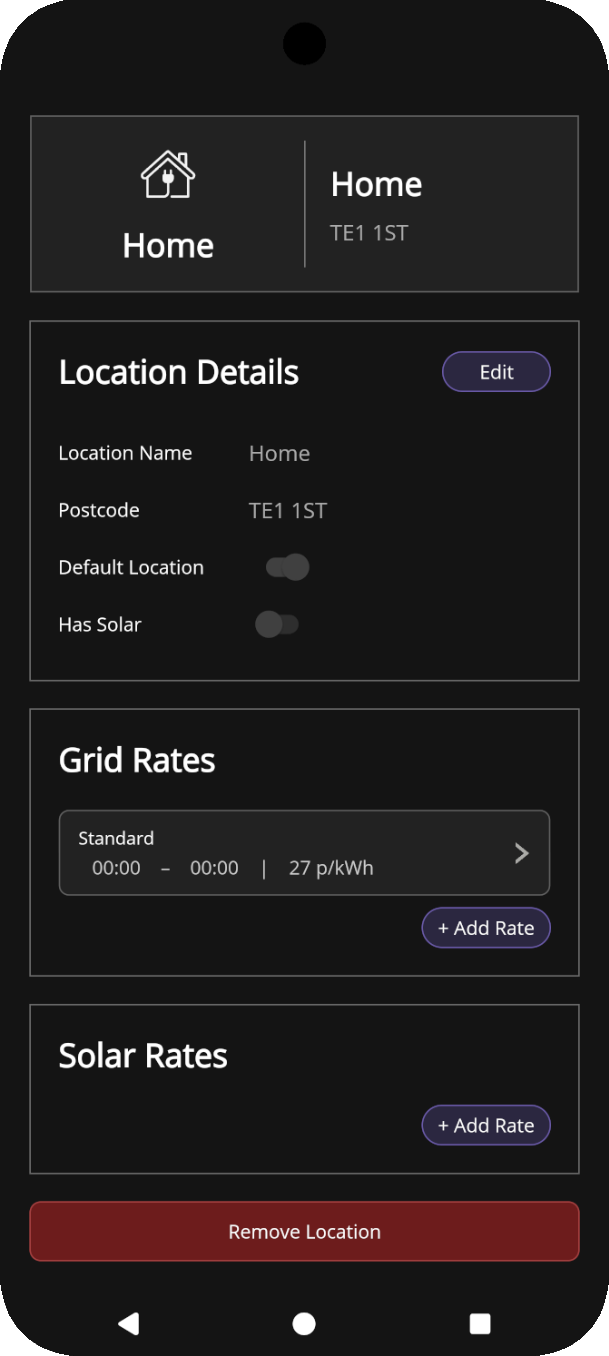
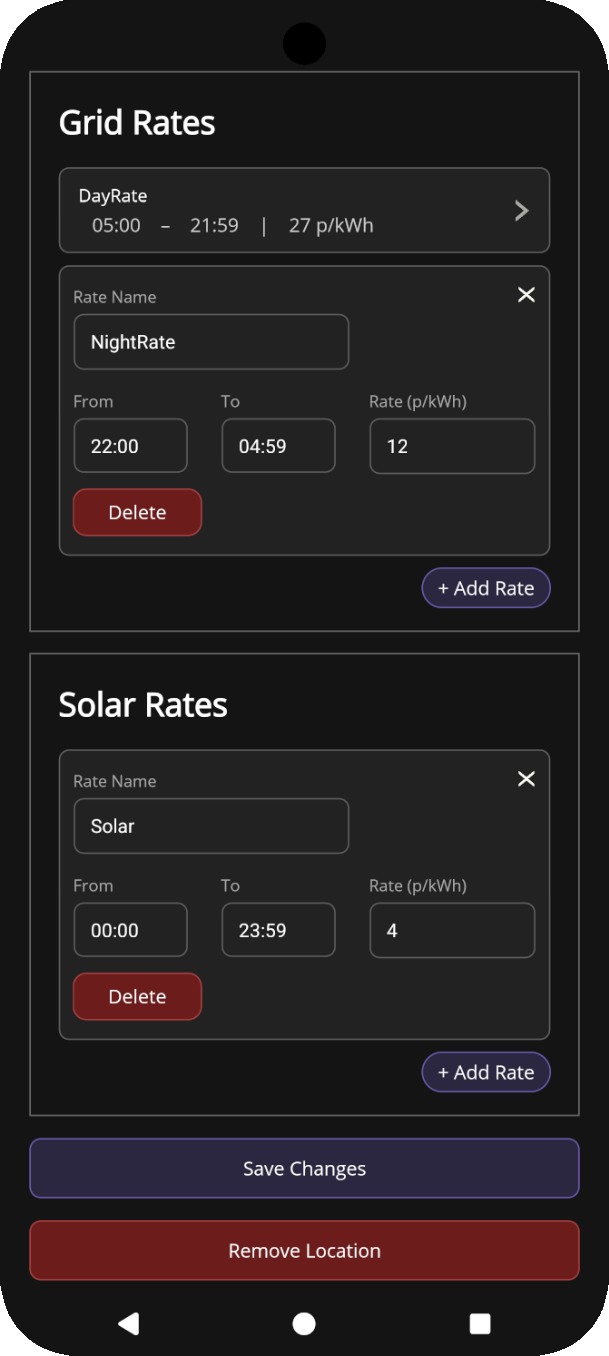
Charging rates belong to a location and provide the basis for calculating sessions recorded there. Selecting Home brings in its saved tariff schedule and solar settings; a public location supplies its saved price per kWh. This keeps the pricing setup reusable and reduces the work needed to log each charge.
A home location can have a single all-day rate or several named time bands, such as daytime and overnight charging. Grid and solar rates are managed separately, allowing a session to account for both energy sources through its recorded grid/solar split.
Ev Nerd uses the energy added and charging window to estimate the home session's cost, including charges that cross midnight or tariff boundaries. Grid energy is apportioned by the time spent in each applicable tariff period, with the solar contribution calculated separately. Public sessions use the location's unit rate, with the option to record the actual amount paid.
Home tariffs have effective dates, preserving earlier schedules when prices change. Completed sessions keep their saved cost when reopened, so the charging history retains the cost recorded for each session as the location's rates evolve.
Outcome
A shorter logging routine, with a dependable record behind it.
Ev Nerd gives me a way to log a charge where it happens, without transferring it into a desktop spreadsheet later. The supporting architecture keeps that simple interaction dependable as vehicle data, connectivity and later edits change around it.
Vehicle integration and reusable records reduce the effort of keeping that history up to date, while local recording remains usable on its own. Further automation will make capturing data easier, and the planned analysis portal will make the accumulated record more useful for reviewing how I use and charge the car.